 Only a
 Designing on OJS
Why structure beats skin when you're designing a journal.
Most of the academic web runs on Open Journal Systems. It’s the platform behind tens of thousands of scholarly journals — from small field-specific quarterlies to publications backed by university presses with century-long histories. It is, quietly, one of the most important pieces of editorial infrastructure on the web.
It also looks, by default, like every other journal. That’s not OJS’s fault. It’s because most journals never get past the default theme.
When a press hires us to redesign a journal, the brief usually arrives as a visual one: “the site looks dated, can we refresh the design?” But a journal isn’t a marketing site. The redesign that matters isn’t visual. It’s structural.
A journal is an editorial system, not a website
Three audiences land on a journal homepage every week: a reader looking for an article, a reviewer with a deadline, an author trying to submit. The default OJS theme treats all three identically — same homepage, same navigation, same flat hierarchy. That’s the first thing a custom theme should change.
Before we touch any code or any layout, we ask the editor three questions:
- Who reads, who reviews, who submits? The volume of each varies wildly by discipline. A redesign should make the dominant path obvious.
- How does the archive break down? By volume only? Volume + issue + section? Special issues? The architecture of the navigation depends entirely on this.
- What does an article actually contain? A linguistics article with embedded audio behaves nothing like a maths article with heavy LaTeX. There is no such thing as a generic article template that survives contact with disciplinary content.
Skip these questions and you’ll be redesigning the same theme three months in.
The article page is the unit, not the homepage
Most journal redesigns over-invest in the homepage. We invert that.
Readers land on an article page 70 to 90 percent of the time. The homepage is a minority arrival surface — reached mostly by editors and curious browsers. Get the article page right and the rest of the system bends to it: the issue page becomes a smaller version of the article, the homepage becomes a curated grid pointing at articles.
What “right” looks like for an article page is not a long list. It’s:
- A reading column at 60–75 characters wide.
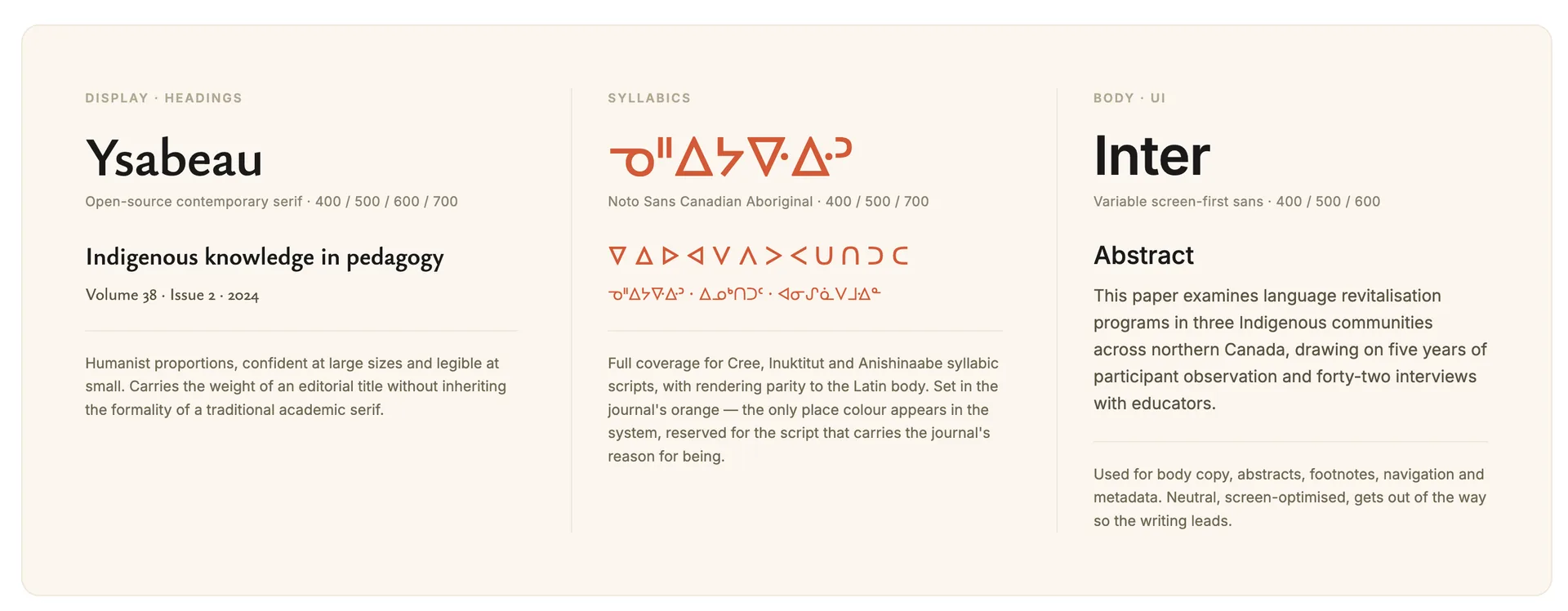
- Typography that holds up across decades of scholarship, in whatever scripts the journal publishes.
- Footnotes that work on keyboard, link individually, and restore on back-navigation.
- Citations rendered consistently — APA, Chicago, MLA, Vancouver — without the JATS-to-HTML transformer dropping italics or smart quotes.
- A clear distinction between body text and quoted material that doesn’t shout.
Each of those is a structural decision. None of them is a colour choice.
Type before colour, structure before ornament
Editorial journals live or die on typography. Two rules of thumb:
- Pick the body face for the screen. Inter, IBM Plex, Source Sans, certain humanist serifs all work. What matters is tabular numerals, small caps where the discipline needs them, and weight variants that hold up at 14–16px.
- Pick the display face for editorial weight, not personality. Display type carries volume numbers, article titles, occasional pull-quotes. It needs to feel considered, not loud.
Colour comes after type is settled. In our experience, journals need less colour than designers think: a single accent for navigational affordances and one neutral for the body. Every additional colour is a small claim about content tone — and content tone is rarely uniform across decades of scholarship.
Build for the issue you haven’t designed yet
The deliverable isn’t a stylesheet. It’s a set of components the journal can extend issue by issue, without redesigning each time. Tabs that hold up under different content lengths. Article scaffolds that handle short editorials and 20,000-word reviews. Issue indices that accommodate a special issue with three articles or a regular issue with twenty.
The right test of a custom OJS theme is simple: can the journal publish issue 4.2 without us? If the answer is no, the theme isn’t finished — it’s a redesign, not a system.
The shortest version of all this: a custom OJS theme is an editorial decision before it’s a visual one. The theme makes the structure legible. The structure carries the journal forward.
If you’re rebuilding a journal on OJS, the CJNE case study shows how a role-based editorial system on OJS holds up across four decades of scholarship — and the same principles apply whether the journal is a 40-year-old publication of Indigenous education research or a brand-new field-specific quarterly.
NEWSLETTER
Get notified when we publish.
Occasional notes from the studio. No frequency promises, no marketing — just the writing, when it ships.